
Field Service Operations
Field Service Dispatch & Scheduling Automation for Malaysian Service Teams
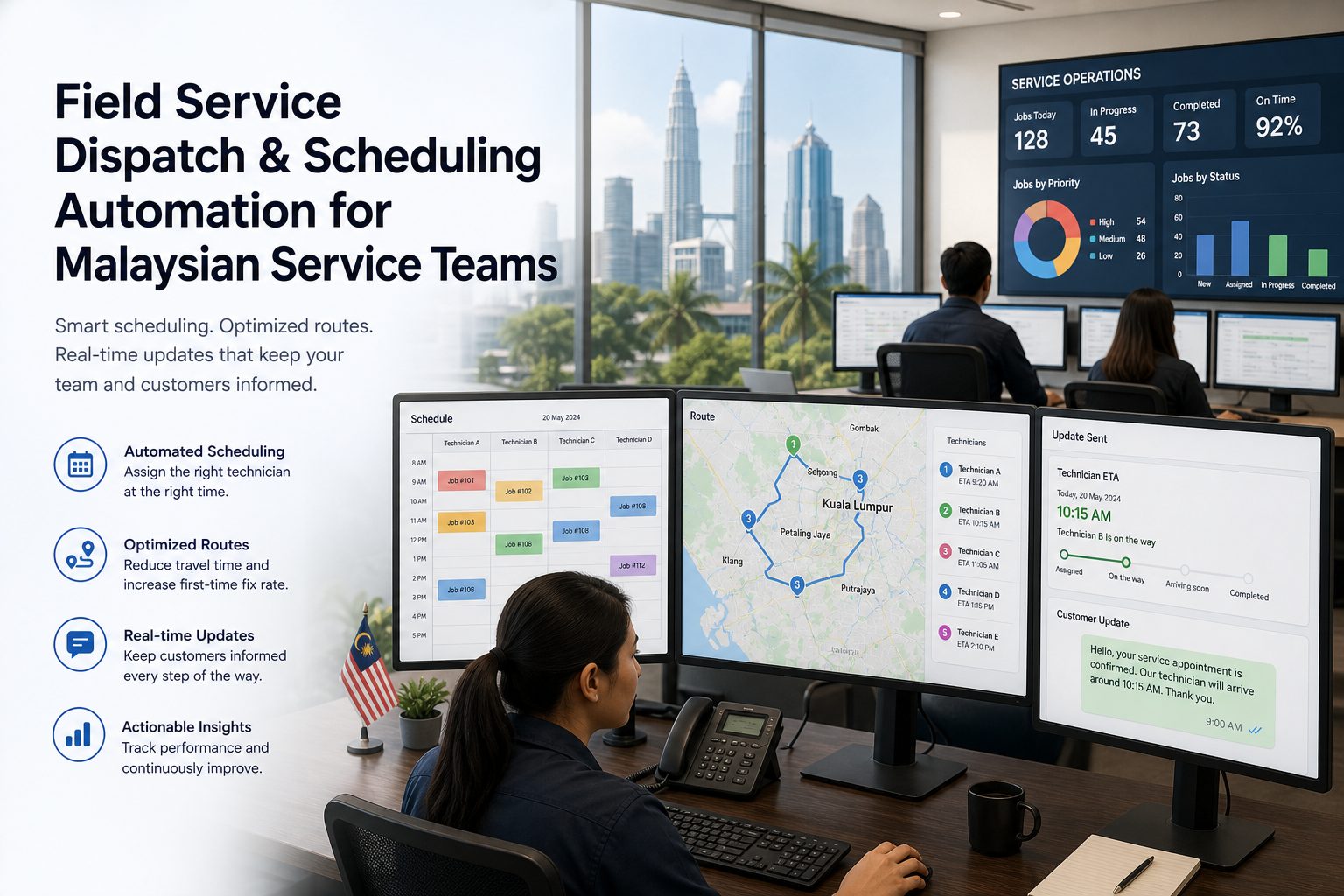
When dispatch lives in WhatsApp chats, spreadsheets, and memory, service teams slow down. We help Malaysian businesses design a cleaner operating flow for booking, assignment, technician updates, customer communication, and reporting.
- Reduce missed handoffs between enquiry, scheduling, and job completion
- Give coordinators a clearer view of technician capacity and priority jobs
- Improve customer updates without adding more manual follow-up
Common operational friction
Why dispatch teams lose time even when everyone is working hard
The issue is usually not effort. It is workflow design. Information arrives, gets retyped, waits for approval, or lives in the wrong place at the wrong moment.
Too many handoffs
Enquiries move from phone to WhatsApp to spreadsheet to technician with no reliable status trail.
Scheduling decisions are reactive
Jobs get assigned based on who looks free first, not on location, urgency, skill fit, or SLA risk.
Customer updates are inconsistent
Some customers get fast replies, others wait because the coordinator is chasing status manually.
Managers lack live visibility
It becomes hard to see what is delayed, who is overloaded, and where jobs are getting stuck.
What Virtualspirit helps with
A practical automation layer for dispatch, scheduling, and service coordination
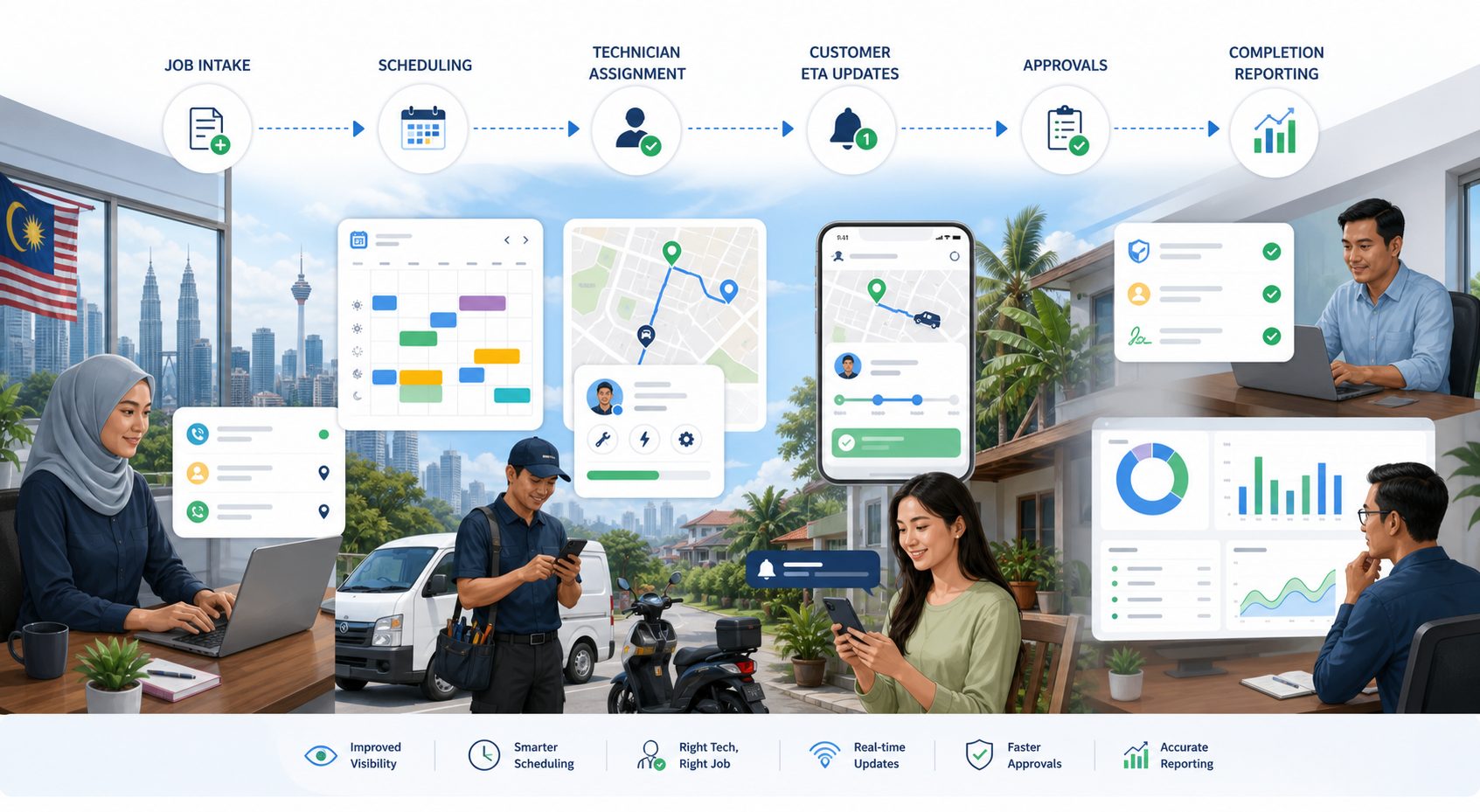
We scope the workflow around how your team actually operates. That may include website or form enquiries, WhatsApp routing, job qualification, scheduling rules, technician assignment, approval steps, status updates, reporting, and CRM sync.
Discovery and workflow mapping
Document the current operating flow, key failure points, and handoff risks before changing tooling.
Dispatch logic design
Define how jobs should be triaged, prioritised, assigned, escalated, and tracked.
Integration planning
Connect approved systems for customer intake, scheduling, technician updates, CRM, invoicing, and reporting.
Rollout with QA in mind
Introduce the workflow with validation steps, fallback paths, and reporting visibility instead of flipping everything at once.
Workflow capability areas
What a better dispatch workflow usually needs
Job intake routing
Capture the right details at the start so the team does not chase missing information later.
Technician assignment logic
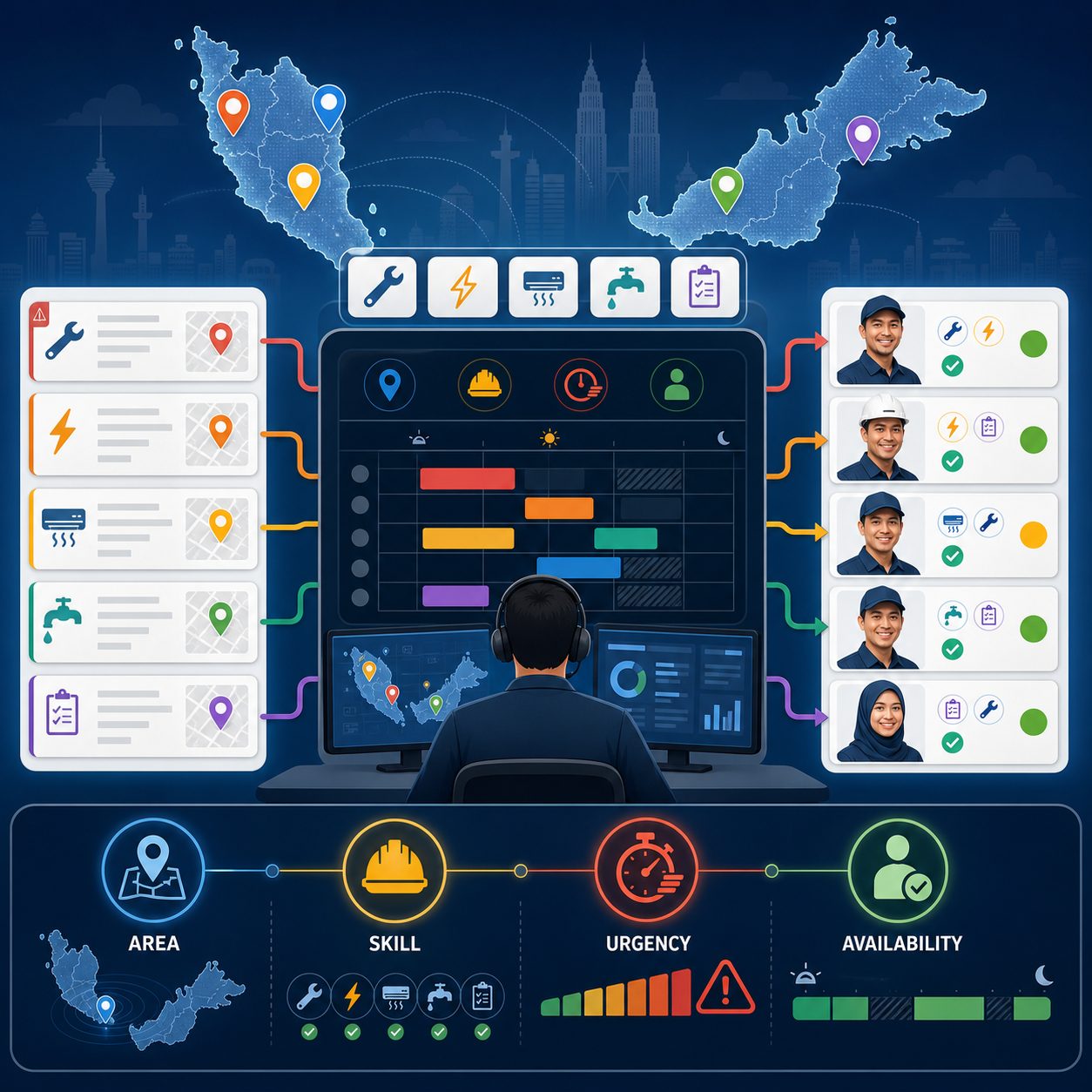
Match jobs by area, availability, skill set, urgency, or workload.
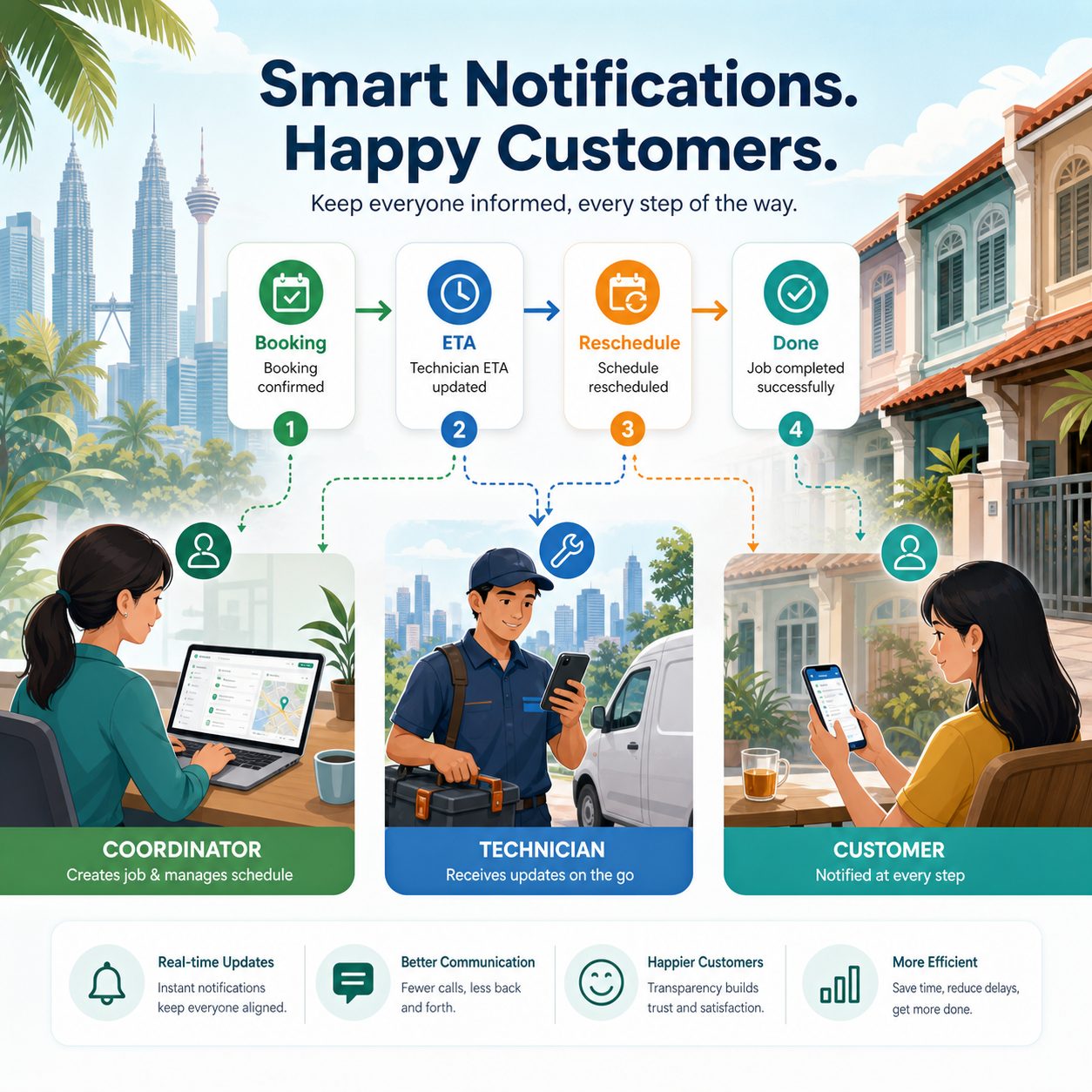
Customer notification flow
Send more consistent reminders, arrival windows, and job-status updates.
Approval checkpoints
Control exceptions such as urgent pricing, reschedules, special parts, or off-hours work.
Operational dashboards
See backlog, lateness risk, reassignment needs, and common failure patterns.
Service history visibility
Make repeat visits and recurring accounts easier to manage with better context.
Delivery approach
How we usually structure the work
1. Map the current dispatch reality
Review the actual flow across coordinators, technicians, managers, and customer touchpoints.
2. Identify the highest-friction breakdowns
Find where jobs are delayed, duplicated, under-specified, or invisible.
3. Design the target workflow
Decide what should be automated, what should remain manual, and where approvals belong.
4. Connect the systems carefully
Plan integration sequencing, ownership, QA, exception handling, and reporting.
5. Roll out in stages
Start with the workflow that removes the most operational pain without destabilising the team.
Service-team scenarios
Where this usually creates the most value
Coordinate booking windows, technician availability, reschedules, territory coverage, and SLA priority without coordinators juggling separate chats, sheets, and calendars.
Route each job by urgency, service type, required skills, location, and workload so the right technician gets assigned faster with less guesswork.
Trigger confirmations, ETA updates, delay notices, and completion messages through approved channels so customers stay informed without manual retyping.
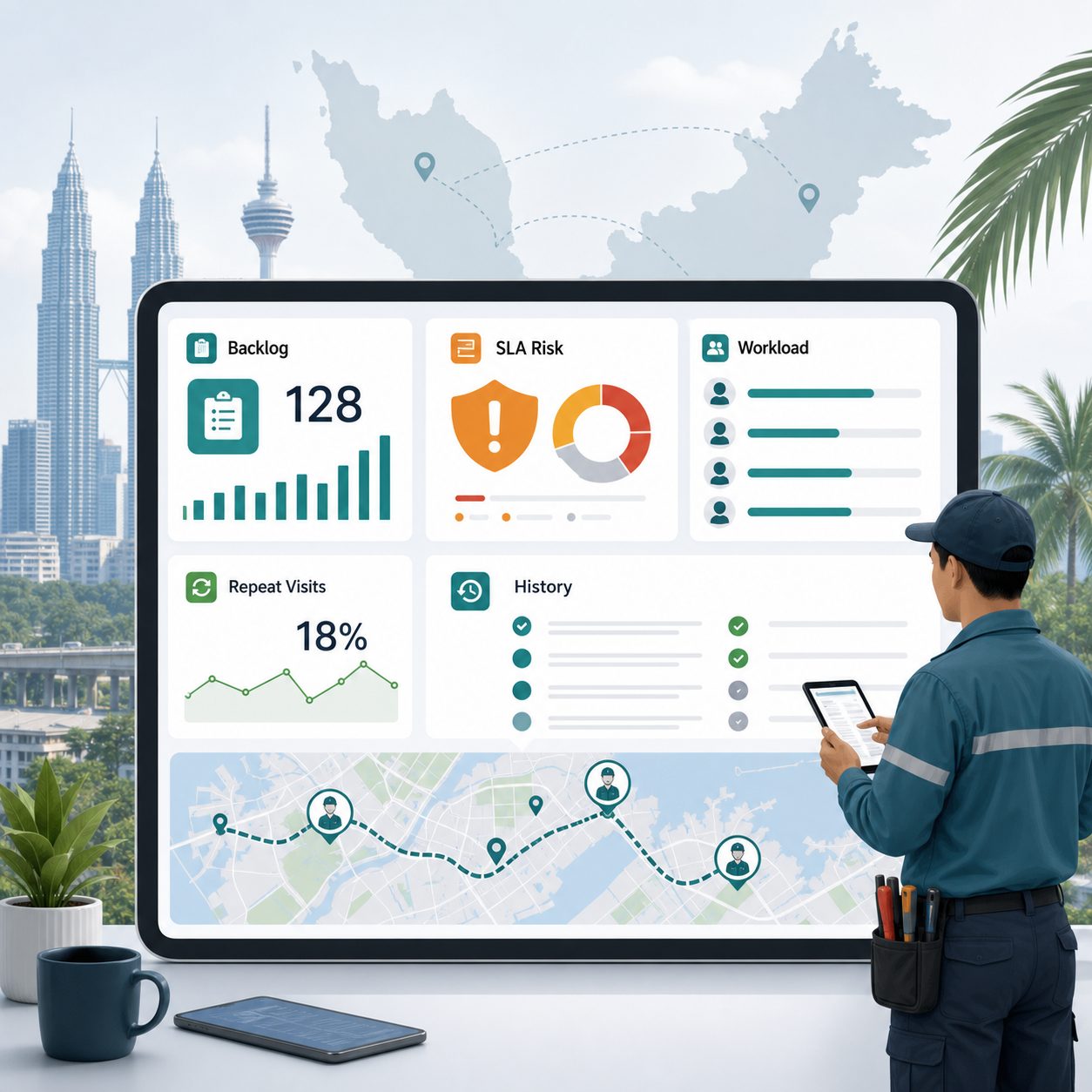
Track backlog, repeat visits, technician utilisation, no-shows, and escalation cases so managers can see where the workflow is breaking before service quality drops.
What a better service workflow needs to make visible
What improvement looks like
Three areas teams usually want to stabilise first
The gains are usually practical: fewer assignment mistakes, clearer customer communication, and better visibility into workload and delay risk.
Decision framing
Manual dispatch operations vs a better-structured workflow
Manual coordination
Fast to start, but hard to scale. Status goes missing, reassignment is reactive, and customer updates depend on whoever remembers to send them.
Structured workflow automation
More visible, more repeatable, and easier to manage. Coordinators can focus on exceptions instead of retyping and chasing every job.
What good outcomes look like
What teams usually want to improve first
Fewer missed appointments
Cleaner intake and assignment reduce the chances of the wrong person arriving or the wrong slot being booked.
Faster response time
Less manual routing helps teams acknowledge and schedule work more quickly.
Better technician utilisation
A clearer view of availability and territory reduces avoidable gaps and overload.
Stronger customer confidence
More predictable updates help the service feel more organised and reliable.
Commercial relevance
Why this matters for growing service teams
As service volume increases, the cost of a weak workflow shows up everywhere: slower replies, poor visibility, coordinator stress, technician confusion, and customers who feel uncertain. A better dispatch system is not just an operations project. It directly affects retention, review quality, and profit per job.
For owners
Better visibility into service delivery instead of relying on fragmented updates.
For coordinators
Less manual chasing and fewer repeated questions across the day.
For technicians
Clearer job context, fewer surprises, and better continuity between visits.
For customers
A more professional service experience with clearer status communication.
FAQ
Questions service teams usually ask before they change dispatch workflows
What does dispatch and scheduling automation include?
It can include enquiry capture, job triage, calendar coordination, technician assignment, customer reminders, status updates, approvals, invoicing triggers, and reporting.
Is this only for large service companies?
No. Smaller and mid-sized service teams often benefit quickly because manual coordination usually sits with a few people and becomes a bottleneck as volume grows.
Can this work with WhatsApp and our current systems?
Yes. Many teams want to keep their current tools while improving how information moves between them. Virtualspirit can scope integrations around approved messaging, CRM, scheduling, and operational systems.
Do we have to replace our scheduler or CRM first?
Not always. Many projects start by stabilising the workflow between the systems you already use, then replacing only the parts that keep slowing the team down.
What kinds of service teams is this good for?
It is useful for maintenance teams, home services, cleaning operations, equipment support, installations, inspections, healthcare support visits, and other teams coordinating mobile staff and time-sensitive appointments.
What happens after the assessment or discovery call?
You get a clearer view of the process gaps, the highest-friction handoffs, and a practical next-step recommendation for workflow design, integration, rollout, and QA.
Next step
If dispatch is slowing your service team down, let’s map the real workflow first
A short review can quickly show whether the real issue is intake quality, assignment logic, approval friction, customer communication, reporting gaps, or the connection between systems. From there, we can recommend the right next step.